






Delayed decisions
When a question can't wait but the right person is unreachable, operations stall. Slow responses mean missed SLAs, lost sales, and frustrated teams
Flip Raises $25 Million to Bring AI to Deskless Workers.
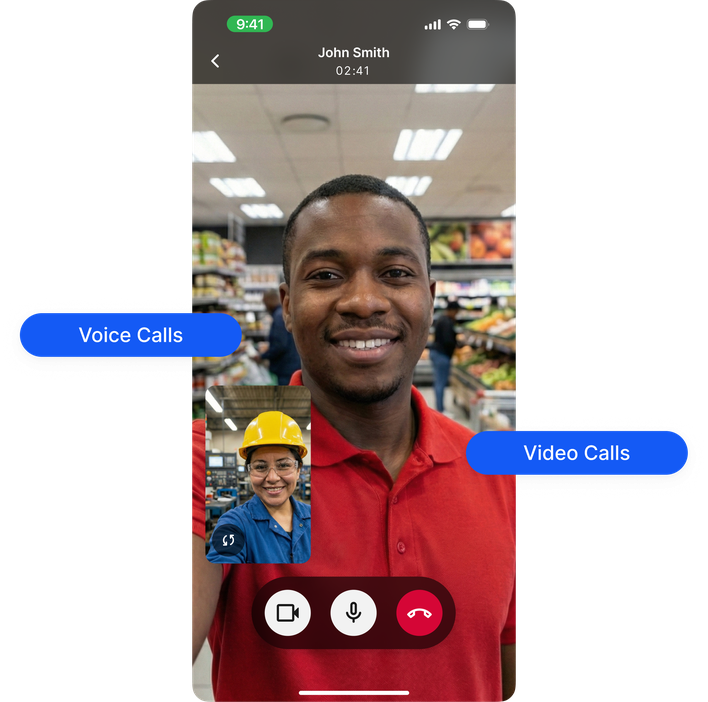
Read full press release.Flip has a voice and video conferencing app built into the frontline platform. Employees call anyone in the company in seconds, one-to-one voice or video, straight from the app, with no personal numbers and no separate tool. It is mobile-first by design, so a team lead on the floor reaches a manager as fast as an office worker reaches a colleague across the building.


Trusted by leading frontline organizations worldwide













When a question can't wait but the right person is unreachable, operations stall. Slow responses mean missed SLAs, lost sales, and frustrated teams

Private WhatsApp calls, personal phone numbers, and unapproved tools create blind spots for IT and compliance and leave employees without a reliable way to connect

Sharing personal numbers with colleagues or customers isn't just uncomfortable. It's a data protection liability and once those numbers are out, there's no taking them back
The solution
Whether your teams are on the frontline, on the move, or remote, you reach anyone instantly and keep work moving.
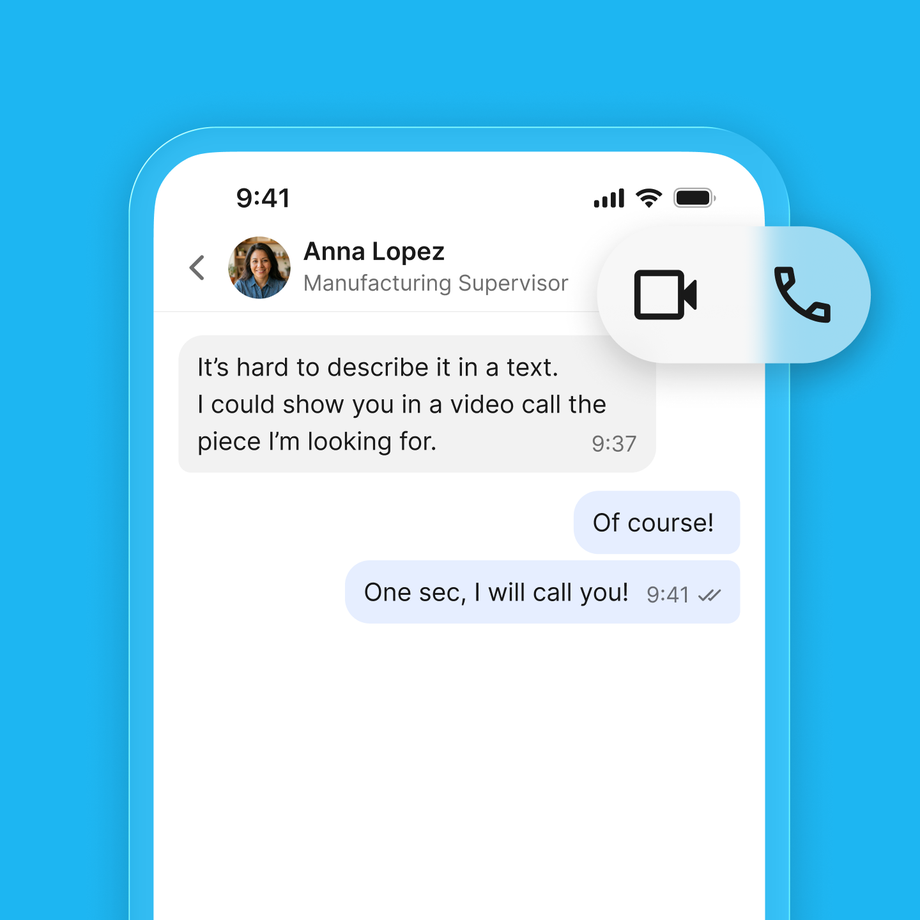
Call any colleague in one tap, wherever they are. Frontline staff, remote teams, or managers on the move stay within reach when it matters most, through the company directory across every location.
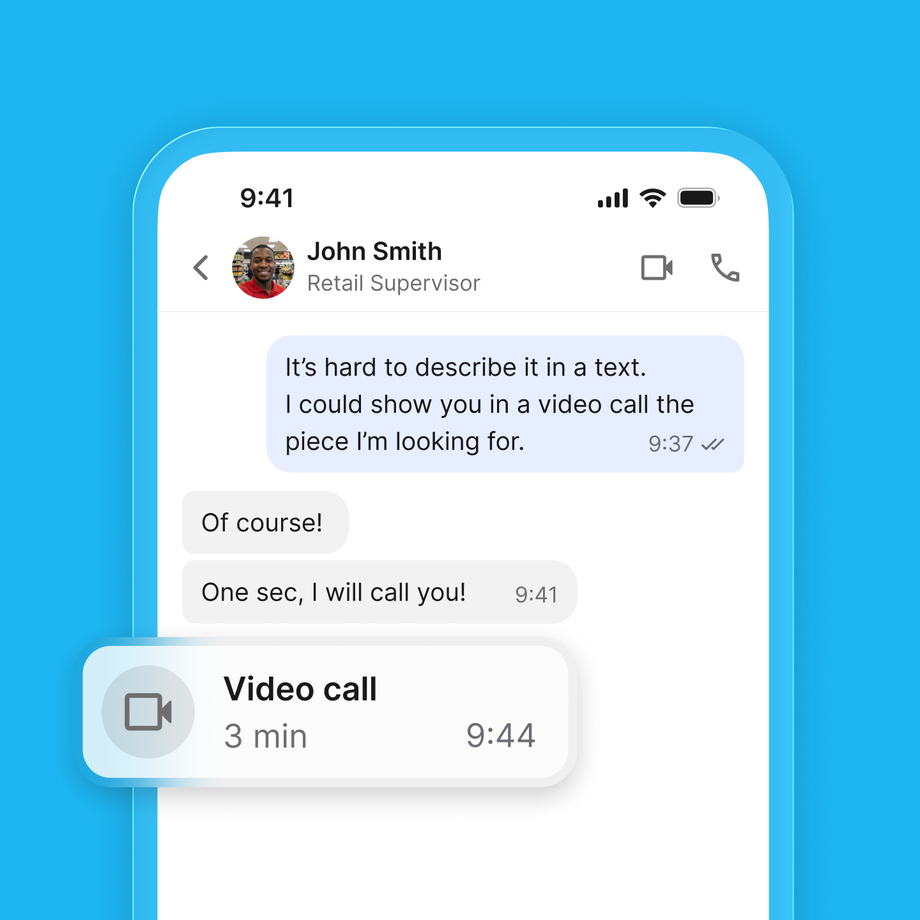
Move from message to voice or video the moment something becomes urgent. Faster conversations mean faster decisions, so teams stay aligned and operations run smoothly.
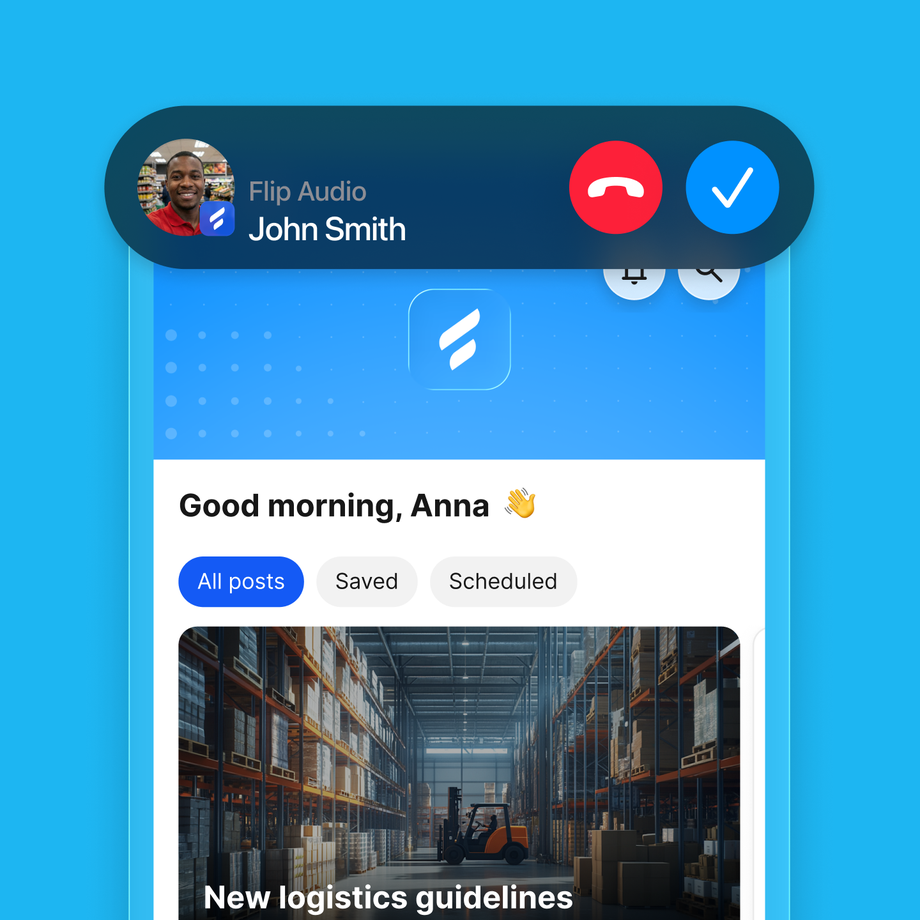
No personal phone numbers are ever required, so employee data stays secure and communication stays fully inside your organization. Even in critical moments, Flip gives you a reliable way to reach the whole workforce.
Feature | What it does |
|---|---|
1:1 voice calls | Call any colleague directly, as easy as tapping their name |
1:1 video calls | Switch on video when the situation calls for a face or a live view |
Chat-to-call | Escalate any conversation to a call without leaving the chat |
No personal numbers | Employees connect through Flip, and their private data stays private |
Company directory | Find anyone in your organization instantly, across all locations |
Mobile-first | Designed for smartphones, so it suits teams without a desk |
Voice & Video Calls is part of Flip Comms, the platform's built-in communication foundation. Pair it with Chats for seamless text to call escalation, or combine it with Flip Flows to trigger calls inside automated workflows, for example instantly connecting a new hire with their onboarding buddy. Everything runs on the same privacy and security foundation: ISO 27001 certified, EU hosted, and GDPR compliant.
Explore Chats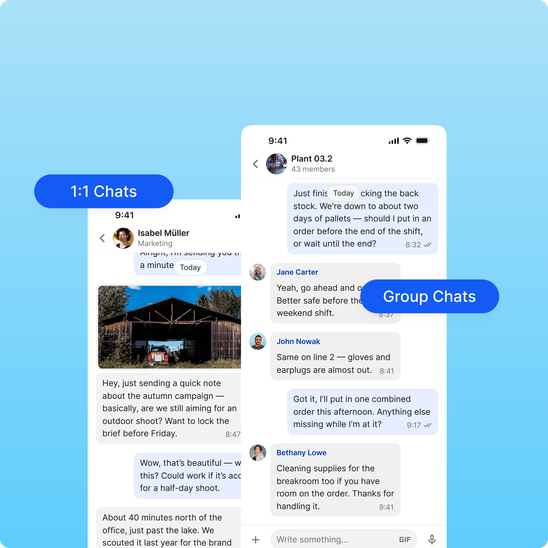
See how Voice & Video Calls speed up decisions, protect employee privacy, and simplify communication across your organization. Get a tailored walkthrough, see your use cases in action, and get your questions answered. Book a demo.


FAQ
It is a mobile-first calling tool built into the work app, so deskless employees can make voice and video calls to colleagues without a PC or a personal phone number. Flip includes this alongside chat, news and tasks.
Yes. Calls run inside the Flip app, so no one exposes a personal phone number and all communication stays under company control.
Yes. A chat escalates to a one-to-one voice or video call in a single tap, so people move from typing to talking instantly.
Yes. Calls are mobile-first and run on the same secure platform as the rest of Flip, built for environments where staff are moving and have no desk.
Consumer apps like WhatsApp were not built for work: employees share personal numbers, IT has no control, and group chats linger after people leave. Microsoft Teams is built for desk workers, not someone on a factory floor or in a warehouse. Flip sits in between. Calls happen inside the app employees already use, so there is no number sharing and no app switching. IT stays in control, every call is encrypted, and access is revoked the moment someone leaves. It is enterprise grade security with a consumer grade experience.
No. Employees call each other through their work profile, so personal numbers stay personal. When someone leaves the company, their access disappears instantly, with no awkward "please leave the group" messages and no lingering contacts on personal devices. Employees get a clear boundary between work and life, and IT and HR keep full control over who can contact whom.
Any moment where a quick call saves twenty minutes of back and forth. A store associate video calls a colleague in another branch to identify a product issue. A technician on site gets guidance from a remote expert. A manager checks in with teams across three locations without scheduling a meeting. It all happens in Flip: tap a name, start the call, solve the problem.
Yes. Calls run on Flip's enterprise grade platform, which is ISO 27001 certified, hosted in the EU, and GDPR compliant. No personal numbers are exposed, communication stays inside your organization, and IT can revoke access at any time.
No. Flip is built for frontline workers without corporate email or a PC. Employees sign in on their own smartphone and call any colleague straight from the app, mobile first by design.
If your teams already use Flip, there is nothing to install. You enable the feature and employees start calling right away. Most companies begin with one use case, such as shift handovers or incident reporting, and let adoption grow from there. Because the interface works like any messenger employees already know, training is rarely needed.