






Passwordless authentication: how it works and why it's safer
Published: · Updated:
In the twelfth century, a king who lost his signet ring lost his ability to rule. The wax pressed by that ring authenticated every decree, every treaty, every line of credit. Identity lived inside an object a person could hold, press into wax, and hand to a trusted deputy.
Hundreds of years later, we somehow decided that the safest way to verify a worker on a factory floor was to make them memorise a string of characters and type it into a shared terminal between two shifts. What if passwordless authentication, expressed through biometric login, passkeys, magic links, and a single identity layer, simply returns us to that older and more honest idea of who someone is at work? For enterprises, that shift cuts breaches, lightens the helpdesk load, and gives frontline teams secure access in seconds. Read on to find out.
 Dr. Franzi Finkenstein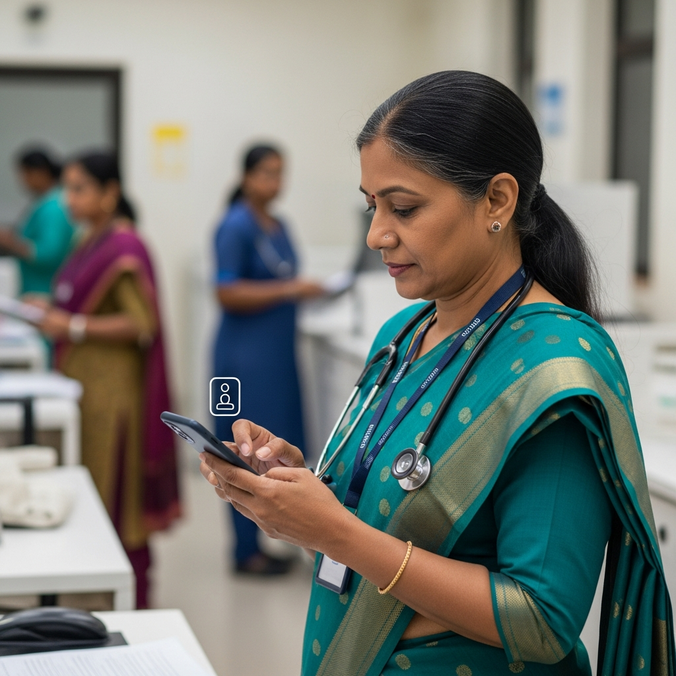
Key Takeaways
Passwordless authentication removes the password from the login entirely and replaces it with cryptographic credentials, biometric verification, or possession-based factors that resist theft, phishing, and simple forgetting.
Passwords already fail at scale. Verizon's 2025 Data Breach Investigations Report traced stolen credentials to 22% of all breaches reviewed, and the average business user now manages roughly 87 work passwords (NordPass).
The friction is measurable. In one workforce survey, more than 51% of respondents reported entering a password six or more times every working day, and each reset costs an estimated €30 to €70 in helpdesk time (Forrester).
Passkeys anchor the phishing-resistant future. Built on the FIDO Alliance and W3C Web Authentication (WebAuthn) standards together with the Client to Authenticator Protocol (CTAP), they form the only widely deployed method that the US Cybersecurity and Infrastructure Security Agency rates as resistant to credential phishing.
The money has moved. The passwordless market stood at $15.6 billion in 2022 and heads past $53 billion by 2030 (Research and Markets), a clear signal that organizations now treat this as core infrastructure.
What is passwordless authentication? The authentication factors behind it
Passwordless authentication is a category of login methods that verifies a user's identity without a memorised password at any point in the flow. It replaces the password with a stronger authentication factor, either something the user has or something the user is, and confirms identity through one or more of the following:
Something the user has: a registered smartphone, a hardware security key such as a YubiKey, an NFC badge, or a device holding a passkey.
Something the user is: a biometric identifier such as a fingerprint, face, iris, palm, or voice.
Something the user knows that stays local: a PIN that unlocks a key on the device and never travels across the network.
Most modern methods run on public key cryptography. At enrollment, the device generates a key pair. The public key registers with the service, and the private key stays on the device behind a biometric or local PIN and never leaves it. No shared secret travels across the network, so attackers find nothing to intercept and no password database to breach. The attack surface shrinks in a real, structural way.
Passkeys and magic links explained
Two terms cause most of the confusion, so here are clean definitions:
A passkey is a phishing-resistant credential that replaces the password, modeled on the FIDO Alliance and W3C Web Authentication (WebAuthn) specifications with the Client to Authenticator Protocol (CTAP). Each passkey is tied to one specific website or app, and that binding blocks fake login pages from ever harvesting it. Passkeys already power the biometric unlock on iOS, Android, Windows Hello, and macOS.
A magic link is a one-time login link sent to a verified channel, usually email, that signs the user in on a single click and expires once a short window closes. Magic links offer a lighter form of passwordless authentication and suit low-risk and onboarding logins. They rely on the security of the email channel, so they carry weaker phishing resistance than passkeys.
How passwordless authentication works in practice
A passwordless login flow runs like this. A worker scans a QR code, taps a badge on a reader, presents a face to a kiosk, or receives a push on a registered device. The device runs a local biometric check, through Touch ID, Face ID, Windows Hello, or a fingerprint on a hardware token, and unlocks the private key. That key signs a cryptographic challenge from the authentication system. The system checks the signature against the registered public key and grants access. The whole interaction finishes in under three seconds.
For the worker, this means no typing, no memorising, no forgotten passwords, and no mid-shift scramble at a locked terminal. The goal reaches beyond raw speed. A good passwordless experience lets people reach their tools without spending a single thought on logging in.
Passwordless methods compared
Different methods suit different workforces. A field engineer with a personal smartphone operates in a completely different reality from a meat processor in cold-store gloves who carries no phone on the line. The table below compares the main passwordless methods and adds the column most generic guides leave out, namely how each one holds up on the frontline.
| Method | How it works | Phishing-resistant? | Best frontline fit |
|---|---|---|---|
| Passkeys (FIDO2/WebAuthn) | Device-bound cryptographic credential, unlocked by biometric or PIN | Yes | Personal or assigned smartphones, the default for most modern logins |
| Hardware security keys | A USB or NFC key such as a YubiKey signs the login, often with a PIN | Yes | Privileged access and high-security roles |
| Device biometrics | A secure enclave reads a fingerprint, face, or palm | Yes, device-bound | Assigned devices and kiosks where accountability matters |
| Badge tap-and-go (NFC/RFID) | A worker taps an existing ID badge on a reader | Partial, pair with biometric | Shared terminals on production floors and nursing stations |
| Out-of-band authentication | A secure temporary link or approval prompt arrives through a separate channel and completes on user interaction | Moderate | Login approvals and step-up checks for connected staff |
| Magic links | A one-time link goes to a verified channel and expires quickly | No, email-dependent | Low-risk logins, onboarding, seasonal or agency staff |
| One-time passcodes (OTP) | A short code arrives by SMS, email, or authenticator app | No, interceptable | A fallback option, rarely a destination |
The frontline almost always needs a blend. A badge plus a biometric covers the shared terminal, a passkey covers the assigned phone, and a hardware key covers the shift lead with privileged access.
Adaptive authentication for a mixed workforce
Adaptive authentication raises or lowers the required factors based on device, location, and risk signals. It lets security teams stitch a mixed workforce together and adds friction only where risk truly warrants it. A low-risk tap on a break-room kiosk stays effortless. A high-risk action on an unmanaged device triggers a stronger check.
Is passwordless authentication safe? Data security realities
Yes, with correct implementation. Passwordless authentication is safer than the password it replaces, and phishing-resistant methods built on FIDO2 hold the only CISA rating for resistance to credential phishing. Every IT leader still asks the question, so start with the record of what passwordless replaces. Passwords leak constantly, through phishing, credential stuffing, infostealer malware, and reuse across dozens of accounts. Verizon's 2025 DBIR traced stolen credentials to 22% of all breaches analyzed. That figure sets the real baseline for any data security comparison.
The advantages
It closes the most common attack routes at the architectural level. The private key stays on the device, so attackers find nothing to phish, intercept, or replay. Phishing-resistant passwordless authentication on FIDO2 holds the only CISA rating for resistance to credential phishing.
It cuts helpdesk load. Forrester puts a single password reset at €30 to €70 in helpdesk time, and Gartner has long attributed 20% to 50% of helpdesk calls to passwords. Passwordless methods rarely need a reset at all.
It lifts experience and compliance together. Workers gain faster sign-ins and fewer lockouts, and security teams gain a cleaner audit trail for regulators.
The honest disadvantages
Device loss becomes the event that matters. A lost device now equals a lost credential, so credential lifecycle management and remote revocation move to the center of the plan.
Biometrics cannot roll over. A leaked password changes in seconds. A fingerprint stays for life, which is why biometric data belongs in a local secure enclave and never on a server.
Legacy systems resist. Many older applications lack native support for modern passwordless standards, so a rollout often runs alongside an identity broker that bridges old credentials into the new system.
Enrollment and recovery form the soft target. Weak recovery invites attackers to skip the front door and walk through the side one, so recovery deserves the same rigour as authentication.
These risks stay manageable with good design. The risk of standing still on passwords keeps climbing.

Reach your operational teams 80% faster and more reliably
Flip's mobile app combines messaging, chat, HR tools, and your knowledge base in one secure application. No additional tools or licenses required.
Passwordless authentication is not the same as multifactor authentication
Here is a distinction worth drawing clearly. Traditional multifactor authentication (MFA) starts with a password and layers a second factor on top, such as a code, a push, or an SMS. The password stays in the flow, and its weakness stays with it.
Fully passwordless authentication can itself carry multiple factors. A biometric on a registered device already combines two of them at once, something the user has in the device with its private key, and something the user is in the face or fingerprint. Add a hardware key for privileged access and three factors stack up with nothing memorised.
Passwordless authentication therefore strengthens MFA. It drops the memorised password and puts cryptographic and biometric proof in its place, which delivers fewer logins and stronger security in the same move.
Why the frontline is the hardest place to enable passwordless login and access management
A case example: Five minutes before her shift starts, Aditi G., a charge nurse on a busy ward in Leeds, taps the shared workstation to open the morning handover. The screen asks for a twelve-character password that rotates every sixty days. She has forgotten it, so she calls IT while the corridor fills with colleagues waiting for the same terminal, and the first medication round runs late.
That morning repeats across thousands of operational sites, and it lands on whoever runs IT, HR, or operations for a frontline workforce. The move away from passwords already runs at scale, and FIDO Alliance tracking shows 87% of surveyed companies rolling out passkey-based passwordless authentication in 2025. Most of those rollouts still start with desk-based staff and leave the deskless majority on the old model.
The frictions run deep. PPE and gloves defeat fingerprint readers. Cold stores slow biometric sensors. Shared devices leave workers with no personal profile. Shift rotation puts one tablet in five sets of hands a day. Many frontline workers hold no corporate email and carry no company phone, which rules out the magic links and email codes that consumer guides treat as default.
The cost lands on businesses. In one workforce survey, more than 51% of respondents reported entering a password six or more times every working day. With the average business user juggling around 87 work passwords (NordPass) and each reset costing €30 to €70 (Forrester via BleepingComputer), a manufacturer with 15,000 frontline workers loses millions of euros a year.
How to implement passwordless authentication without breaking what works
Most enterprises start from a tangle of legacy systems, existing credentials, cloud single sign-on, badge readers, and a handful of mobile devices for shift leads. A pragmatic sequence keeps the rollout safe and visible.
1. Define assurance tiers and map them to use cases. Decide how much identity assurance each action needs before you touch any technology. Reading the canteen menu needs far less assurance than opening the medication cabinet. Mapping roles and actions to low, medium, and high tiers shows where a badge tap suffices and where a phishing-resistant passkey or hardware key earns its place.
2. Choose the right methods for each tier and workforce. Match the methods in the table above to the tiers you just set, with gloves, shared devices, and phone availability all in view.
3. Design secure enrollment flows. Enrollment establishes trust, so it deserves at least the strength of the authentication it creates. Verify identity properly at sign-up, ideally in person or against an existing trusted record, before any credential goes live.
4. Build fallback and recovery paths. Workers lose phones, leave badges in lockers, and arrive as agency staff expecting same-day access. The system needs to absorb all of that and never drop back to a password, through a second registered factor, a supervised re-enrollment, or a time-boxed temporary credential.
5. Bridge the legacy edge cases. A small set of older clinical, pharmacy, and line-side applications will refuse modern passwordless standards. An identity broker behind passwordless single sign-on carries those safely and keeps weak passwords away from the user.
Build in-house or outsource to an IAM provider?
A real decision sits here. Building passwordless authentication in-house hands you maximum control and a heavy load. You then own the cryptography, the enrollment logic, the recovery flows, and years of maintenance. That weight pushes many organizations to outsource to a third-party Identity and Access Management (IAM) provider, which speeds up deployment, trims maintenance cost, and ships certified standards-based implementations out of the box. Most frontline organizations settle on a middle path. They adopt a platform that already supports passwordless standards and integrates with the identity systems they run today.
The market has already decided
The numbers settle the strategic debate. The passwordless authentication market stood at $15.6 billion in 2022 and heads past $53 billion by 2030 (Research and Markets). Capital on that scale flows toward infrastructure that organizations expect to depend on for a decade. For most enterprises, one open question remains. How quickly do you move, and do you extend passwordless authentication to the frontline or leave most of your workforce on the old model?
Where Flip fits: passwordless authentication solutions for the frontline
Every article like this eventually reaches the product, so here it is, stated plainly.
Frontline Identity delivers one-touch access for frontline workers. It gives every operational employee a single, secure digital identity inside the same App they already use for communication, schedules, and workflows. It supports biometric verification on the worker's device, removes the friction of multiple logins, and integrates with existing identity and access management systems rather than replacing them. For an organization still waiting to start a passwordless program on the frontline, Flip Identity often marks the fastest route to a measurable gain in both security and daily experience.
What AI and the road to 2028 mean for passwordless authentication
This conversation matters more in 2026 than in 2024, and the reason traces to agents. AI agents now act on behalf of employees, booking holidays, retrieving payslips, and opening maintenance tickets. Every action has to trace back to a verified human. Strip out phishing-resistant passwordless authentication and an agent inherits the security guarantees of a memorised password. Verify a worker once at the start of a shift through a biometric or a badge, and every later action inherits that authenticated state, phishing-resistant by default and reachable by AI without the security debt of legacy logins.
What passwordless authentication will look like by 2028
Passwords will retreat slowly into legacy corners rather than vanish overnight. The default state of work, for office and frontline workers alike, will grow simple. You arrive, the system recognizes you, and you start. Organizations that move first will watch their workers spend less time logging in and their AI agents act on verified identity rather than recycled credentials. Those that wait will carry a structural disadvantage in both productivity and risk.
Aditi G. does not need a memo on the future of authentication. She needs her workstation to recognize her the moment she rests her hand on the reader. The signet ring returns, now as a biometric, a badge, a paired device that answers to a person the moment a shift begins. The remaining question is how quickly you choose to move.
Sources: Verizon, 2025 Data Breach Investigations Report; Grand View Research, Passwordless Authentication Market Size Report; FIDO Alliance, World Passkey Day 2025 enterprise adoption update.
FAQ - Passwordless authentication
Passwordless authentication verifies identity through cryptographic credentials, biometric verification, or possession of a registered device, and it does so with no memorised password anywhere in the flow.
Passwordless authentication names the broad category. Passkeys sit inside it as one method, arguably the leading one. Passkeys use phishing-resistant credentials built on the FIDO Alliance and W3C WebAuthn standards with the CTAP protocol, and they power the biometric unlock on most modern phones and laptops.
Yes, with correct implementation. Phishing-resistant passwordless authentication on FIDO2 ranks above passwords for security. The private key stays on the device, which removes the credential transmission that most attacks exploit. The main risks around device loss, enrollment, and recovery all respond to good credential lifecycle management.
Frontline teams usually do best with a blend. Badge tap-and-go covers shared terminals, biometric verification such as face or palm adds accountability, mobile push or passkeys serve connected staff, and hardware keys protect privileged roles. Magic links and email codes fit only low-risk cases and often fail on the frontline, where workers hold no corporate email.
An in-house build offers the most control and the highest maintenance load. Most organizations outsource to a third-party IAM provider or adopt a platform with passwordless standards already built in, which speeds deployment and lowers upkeep. The common middle path runs on a platform that integrates with existing identity systems rather than replacing them.
Reach your operational teams 80% faster and more reliably
Flip's mobile app combines messaging, chat, HR tools, and your knowledge base in one secure application. No additional tools or licenses required.

Dr. Franzi Finkenstein
Dr. Franzi Finkenstein is part of the Content & Search team at Flip, writing about digital communication, employee engagement and AI–human connections. Drawing on a humanities PhD and extensive editorial experience, she focuses on how digital technology is reshaping the future of work and explores how employee health and wellbeing in modern workplaces can be improved.
Don’t forget to share this content

More on the topic of Identity Access Management

Biometric login: what the future of workplace access looks like

Digital Workplace: how AI is changing everything

Identity access management software for frontline teams