






What is a People App? Five key facts every employee and HR team should know
Published:
Most workplace technology was built for people sitting at a desk. A people app is built for everyone else: the warehouse worker starting a 6 a.m. shift, the retail associate between customers, the nurse finishing a 12-hour round. It is one app, on any phone, that keeps every employee informed, heard, and connected to the company they work for.
The best people apps in 2026 are AI-native. They personalize information automatically, answer HR questions instantly, and surface what each employee needs without manual configuration. This article breaks down the five most relevant questions about what a people app actually does, which features separate good from great, and why the choice matters most for frontline teams.
 Dr. Franzi Finkenstein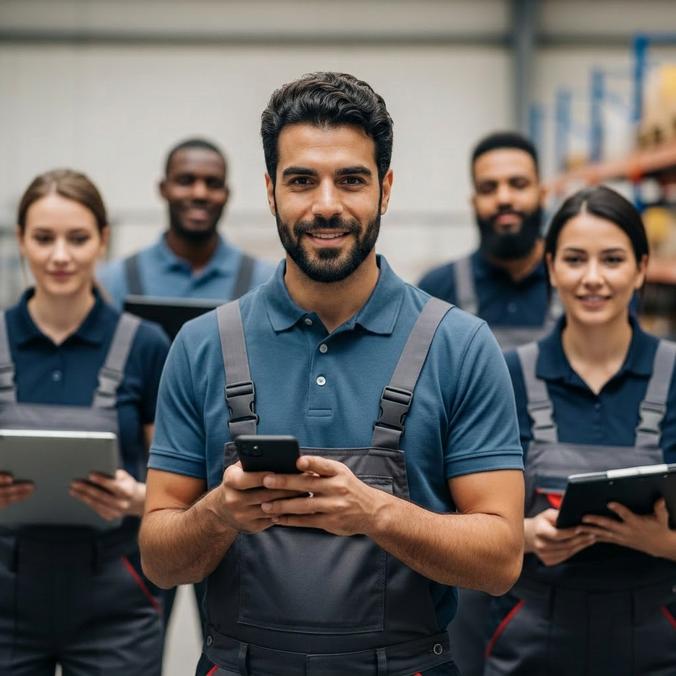
Key Takeaways
A people app is a mobile platform that gives every employee direct reach to their own personal information, HR tools, internal communication, and company resources in a single place.
Unlike an HR system, which is designed primarily for HR administrators, a people app is built from the employee's point of view and makes the person the primary user rather than a data subject.
In 2026, the best employee platforms combine self-service HR data, real-time internal communication, AI-powered workflows, and deep integrations in one intuitive mobile interface.
Frontline workers in retail, manufacturing, logistics, and services are the population most consistently underserved by generic HR tools. A well-designed people app is often the only reliable way to reach and engage them.
When choosing a people app, prioritize mobile accessibility, breadth of self-service features, and whether the platform genuinely serves every employee regardless of role, shift pattern, or technical confidence.
First Things First: What Is a People App?
A people app is a mobile platform that puts every employee in direct contact with the tools, data, and people that actually shape their day, not filtered through a manager, not buried in a system they weren't built to use. It's worth being precise about what that means, because the category gets muddied easily. That said, a people app is not HR software with a new coat of paint, and it's not an engagement platform measured in pulse surveys. The real distinction isn't about features, it's about who the product was designed for. HR software is built for administrators. A people app is built for the people themselves.
The scale of the need makes this distinction matter. Approximately 80% of the global workforce are deskless workers. This means, the majority do not have a corporate email address or meaningful access to the digital tools their desk-based colleagues take for granted. For many of them, a people app is the only realistic way their employer can reach them at all.
Consider a nurse finishing a 12-hour night shift at 6 a.m. She cannot check her remaining leave balance, missed the latest policy update sent to a work email she rarely opens, and the only way to raise an HR query is to come back during office hours. This is the daily reality for tens of millions of workers, and it is precisely the gap a well-built people app is designed to close.
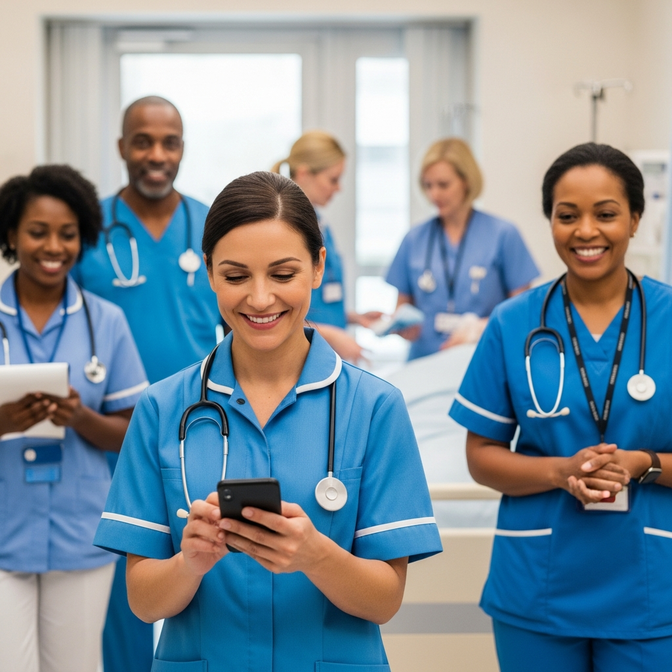
Nurse using a People App throughout her day.
Personal Details and HR App: What Is the Difference Between a People App and an HR System?
Understanding what sets a people app apart from a standard HR system matters before evaluating any platform, because the two are built for fundamentally different audiences.
An HR system is built for HR teams. It handles employment records, processes transactions, tracks compliance, and generates workforce reports. The employee is the subject of the data but not the intended user of the interface.
A people app shifts the design brief entirely. It enables employees to take ownership of their own personal details, such as contact information, home address, emergency contacts, and banking data, without involving HR at all. The best platforms integrate deeply with underlying HR systems so that self-service actions update back-end records automatically, keeping the employee experience seamless and the data accurate.
A people app is also broader than an employee engagement tool, which tends to focus on recognition, feedback, and pulse surveys. It covers all of this and also handles the operational layer of working life: pay, holidays, onboarding forms, and access to workplace resources. In practice, the practical and the relational are the same thing.
Own Personal Information: What Features Should a People App Have in 2026?
What are the great features that define a credible people app today? The baseline has shifted considerably, and any tool that launched with reasonable credentials five years ago may no longer meet the expectations of a modern workforce. The features below are not merely differentiators, they are the minimum standard.
Self-service access to own personal information. Employees should be able to view, edit, and update their personal details such as contact information, home address, emergency contacts, and banking details, without contacting HR directly. The ability to quickly find and change this data from a mobile device is foundational. A person who has to fill in a paper form or call an administrator to update their phone number will disengage before they have completed a single task.
Account creation and secure sign-in. Every employee needs a straightforward way to create their account, sign in reliably, and recover it if needed. A forgotten password should never become a barrier to using the platform. The sign-in and password reset flow should be frictionless, ideally requiring nothing more than an employee ID or mobile number with no corporate email address needed. Any developer building a serious people app in 2026 knows that a cumbersome account setup or an absent password recovery option will kill adoption before it starts.
Annual leave and holiday management. Employees should be able to check their leave details, submit holiday requests, and follow the approval process directly within the platform. For shift workers in particular, visibility into leave entitlements and the status of pending requests is a daily operational need.
Internal communication. A people app without strong communication tools is only half a solution. Employees should be able to receive company news, post updates, post a comment on announcements, share content, and chat with colleagues, all linked to the same account they use for HR tasks. This creates a single point of reach to both the informational and operational life of the organization.
Mobile-first design and genuine accessibility. Most frontline employees work on a mobile device. This is often a personal phone rather than company-issued hardware. Employees should be able to simply download the platform on iOS or Android, complete the registration process in minutes, and navigate it confidently without formal training. A clear validation step or onboarding checklist that guides new users through setup, including account creation, contact verification, and a password confirmation, dramatically improves early adoption. Features should load quickly, require few steps to reach, and be accessible across a wide range of devices. The download and setup experience is the first impression the platform makes, and it needs to count.
AI-powered workflows. In 2026, a well-designed people app does not just surface information. It completes tasks. Employees can ask an AI assistant to search for a policy document, fill in a form, investigate a payroll query, or launch a holiday request. This is where the best platforms are moving, and organizations that launch with this capability in place create real competitive advantages in frontline productivity and HR efficiency.
Security and control. Employees need to trust that their personal information is protected. Secure account management, a transparent password policy, the ability to delete or update data on request, and clear data handling practices are the foundation on which trust in any people app is built. Any developer, whether an in-house IT team or an external developer partner, should treat these as non-negotiable from the outset.
What Should a People App Do for Frontline Workers?
Frontline employees in retail, manufacturing, logistics, and services are the population a people app must serve above all others. Their working life looks fundamentally different from that of a desk-based colleague. They often have no corporate email address, are not logged into a browser portal during their shift, and work in environments where connectivity can vary based on location or time of day.
The stakes are significant. According to McKinsey, the real cost of frontline labor challenges, from attrition and absenteeism to lost productivity, typically runs between $17,000 and $30,000 per active employee. For an organization with 10,000 frontline workers, that translates to an annual EBITDA impact of around $250 million. Engagement is a direct operational cost.
To make the challenge concrete: consider a logistics company running a night shift at one of its distribution hubs. A driver needs to confirm a shift change, check her remaining holiday days, and contact her team leader before heading out. Before the company introduced a people app, each of those tasks required a different system, a different login, or a phone call to HR during office hours. None of these options worked for someone starting at 4 a.m. With a single employee platform, she opens one app, completes all three tasks in under two minutes, and starts her shift informed and unobstructed. That is the practical difference a well-designed people app makes.
A well-built people app meets these workers where they are. It runs on a personal phone without requiring corporate credentials. It reaches employees with push notifications and direct updates rather than emails they will never see. And it handles the practical side of their working life: pay information, leave details, company news, and direct contact with their manager, without adding friction to an already demanding schedule.
The ability to tap into the platform, swipe to find the right information, and complete a task within a few seconds is not a design nicety for frontline workers. It is the condition on which adoption depends. A tool that requires four steps to find a payslip or three screens to submit an absence request will lose its users before it has had the chance to engage them.
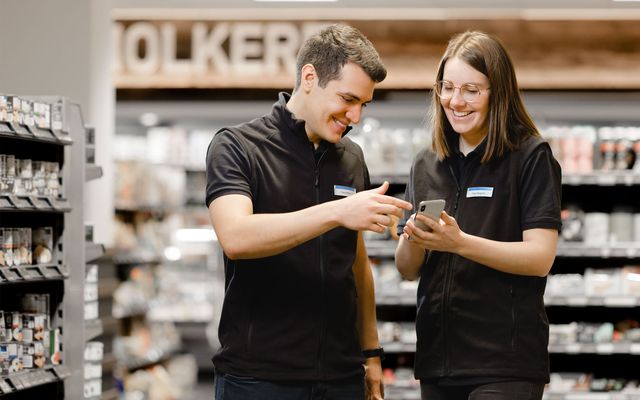
Daria Ezazi
Source: Head of Corp. Comms, toom
How Does a People App Improve Internal Communication and Feedback?
Internal communication is where most organizations first feel the gap that a people app is designed to close. Without a shared platform, communication fragments. Some employees receive updates by email, others through a manager who may or may not pass the information along, others through a notice visible only during a specific shift. The result is a workforce operating with different levels of information and a varying sense of connection to the organization.
A people app creates a single, reliable channel for everyone, regardless of role, location, or working pattern. Company news is visible to all. Leadership messages can be delivered directly to every employee's phone. Colleagues can chat, post updates, and react to announcements in real time. Managers can write to their teams with confidence that the message will be received and logged.
Feedback follows the same logic. When employees can share their views through the same platform they use every day, and that feedback reaches managers directly, the gap between what employees experience and what the organization understands closes considerably.
For frontline employees, historically the last to receive important information and the least likely to be asked for their views, this shift is significant. A well-built people app does not guarantee better communication, but it creates the infrastructure without which better communication is structurally impossible.
What Should I Look for When Choosing a People App?
The right people app is one that every employee will actually use. The best features in the world do not matter if adoption fails. The most important questions when evaluating platforms are these: is the platform genuinely mobile-first, or is mobile an afterthought added after a desktop product was built? Does it give employees direct reach to their own personal information without HR mediation? Can it vary based on role, location, or team, so that a warehouse operative and an HR director each encounter a version that feels relevant to their work? Does it integrate natively with existing HR and payroll systems rather than creating a disconnected data environment? And does it work without a corporate email address, for the many employees who do not have one?
For retail, logistics, and manufacturing teams, the decisive test is whether the platform works for someone on a shop floor, on a personal phone, with five minutes between tasks. This is someone who needs to contact a colleague, check their leave balance, or post a comment on a company announcement before their next shift begins. A people app that passes this test, because it is fast, intuitive, and requires no training to navigate, is the one that achieves the adoption rates that justify the investment. Everything else follows from that.
Sebastian Lachmund
Sources: Owner, Edeka Vela
Flip: A People App That Works for Everyone
Most people apps are built with the office in mind and adapted for the frontline as an afterthought. Flip takes the opposite approach. Starting from the reality of shift workers, warehouse operatives, and clinical staff, people who have never had reliable access to workplace technology, Flip builds upward. The result is a platform that works just as well for a desk-based HR team or internal communications manager as it does for a nurse clocking off a night shift.
Everything runs through one mobile app: company news, team chat, HR self-service, payslips, shift schedules, and AI-powered workflows that handle routine requests without involving a manager or opening a ticket. No corporate email address required. No desktop login. No separate tools to juggle.
For organizations trying to bring their entire workforce onto the same page, from the corporate office to the warehouse floor, the foundation a platform is built on matters more than it might seem. Flip was built from that foundation first. That distinction shows in every part of the experience.
The workforce has changed. The technology needs to catch up.
For decades, the tools organizations built for their people were designed around the assumption that work happens at a desk, during office hours, on a company device. That assumption was always wrong for a significant share of the global workforce. In 2026, it is increasingly difficult to defend for any of it.
A people app is not a complicated idea. Every employee, regardless of shift pattern, role, location, or whether they have ever been issued a corporate email address, deserves direct access to the information and tools that shape their working life. The organizations that act on this are not just solving a technology problem. They are making a statement about who counts as an employee worth investing in.
The bar for what a people app must do is rising. AI-powered workflows, genuine self-service, and mobile-first design are no longer differentiators. They are the entry point. What separates the platforms that drive real change from those that collect dust on a company intranet is whether frontline workers actually open them, use them, and feel better connected to their organization because of them.
That is the test worth applying to any platform under evaluation, including this one.
Sources:
McKinsey, The missing productivity ingredient: Investment in frontline talent.

Reach your operational teams 80% faster and more reliably
Flip's mobile app combines messaging, chat, HR tools, and your knowledge base in one secure application. No additional tools or licenses required.

Dr. Franzi Finkenstein
Dr. Franzi Finkenstein is part of the Content & Search team at Flip, writing about digital communication, employee engagement and AI–human connections. Drawing on a humanities PhD and extensive editorial experience, she focuses on how digital technology is reshaping the future of work and explores how employee health and wellbeing in modern workplaces can be improved.
Don’t forget to share this content

More on the topic of Employee app
AI-First Employee Experience Platform: 2026 Trends & One-Touch

How a Communications Manager works in 2026
How AI agents will transform the frontline employee experience